






Growcast by Treegers — Bluetooth Mesh Horticultural Lighting Controller
TRG-CTRL-GCT-BT53
- Handpicked by growers
- Ships today
- Real advice, real people
- 5,000+ high yielding customers
- 30-day returns*
- Free shipping over $499*
Pairs well with

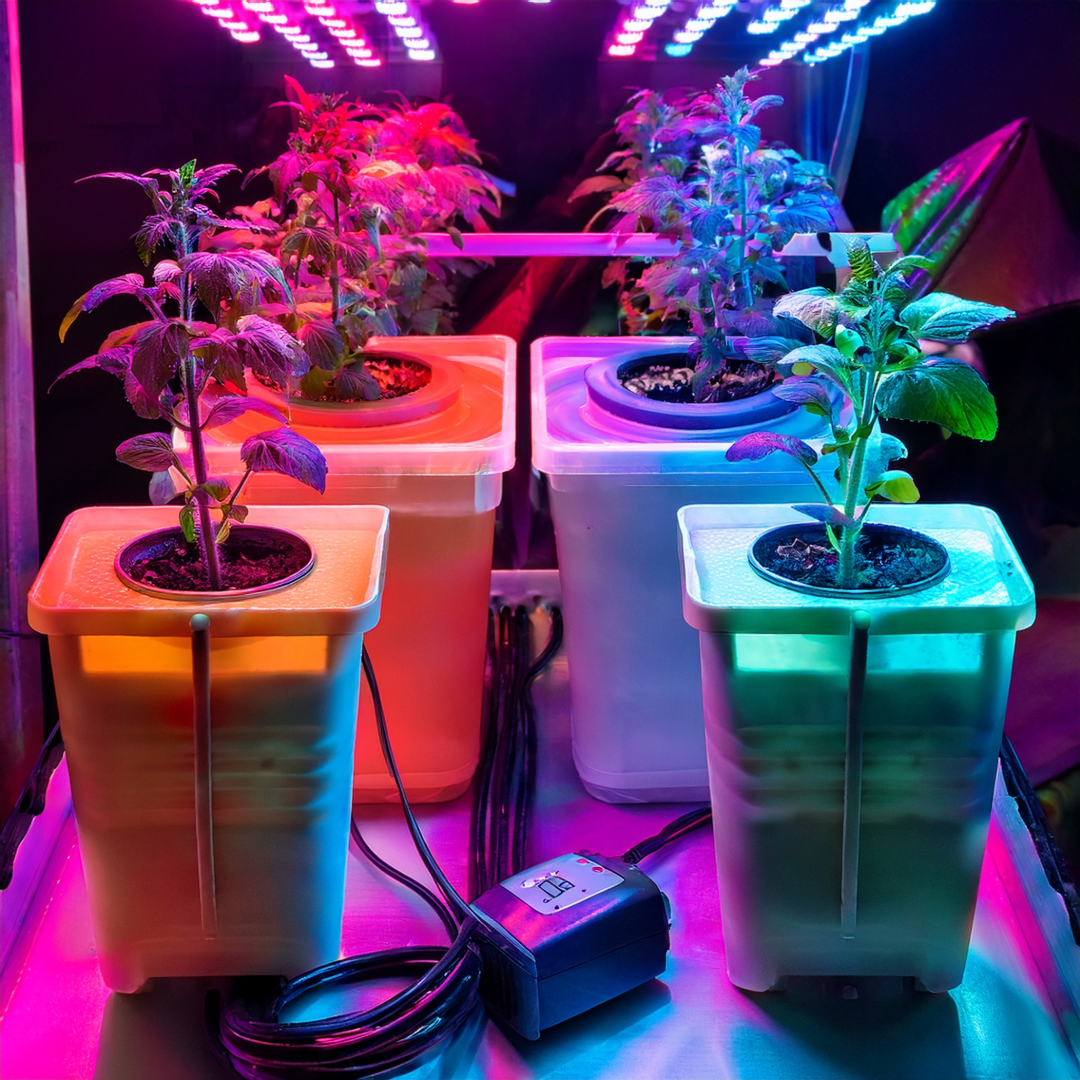
The Treegers Growcast is the step up from a simple dimmer knob to a fully automated lighting system. A pea-sized, IP66-rated controller that connects to up to 50 fixtures via daisy-chain, runs on Bluetooth Mesh without needing WiFi or a login, and lets you set schedules, sunrise/sunset ramps, and accurate PPFD targets from the free Telos app on your phone. It works with Treegers fixtures natively and with any dimmable grow light from other brands using the included adapters. One Growcast. Total control.
Tech Specs
What's in the Box
- The T Dimmer is a manual knob. Set it by hand, leave it alone. No app, no scheduling, no automation. Perfect for simple single-tent setups.
- The Growcast is a smart controller. Set schedules, sunrise/sunset ramps, PPFD targets, and multi-room sequences from your phone. Made for growers who want hands-off automation.
- If you check your tent daily and prefer to adjust manually, save the money and get the T Dimmer.
- If you want your lights to handle themselves — scheduled on/off, gradual ramps, accurate dimming — the Growcast earns its $275.
- Both connect to Treegers fixtures via the same LLT connector. Upgrading from T Dimmer to Growcast later is a straight swap.
How to Set Up the Growcast
Pairs Well With
The Growcast is the natural upgrade path from a basic T Dimmer on the GL420W. One cable swap and you're fully automated.
Treegers GL650W+ LED FixtureLarger rooms running the GL650W+ benefit most from the Growcast's scheduling and PPFD targeting capabilities.
Treegers GL1000W+ LED FixtureAt 1000W, the Growcast's automated scheduling and ramp control is highly recommended — running this fixture manually at full blast from day one is rarely the right move.
Treegers Fixture Link CableOne Fixture Link Cable per additional light in your chain. Essential for any multi-fixture Growcast setup.
Treegers Quantum PAR MeterTo use the Growcast's PPFD targeting properly, you need measured canopy data. The Treegers PAR Meter gives you those numbers.
Environment ControllersPair the Growcast's light automation with a separate environment controller handling temperature, humidity, and ventilation for a fully automated grow room.
Frequently Asked Questions
Does the Growcast need WiFi to work?
No — the Growcast runs on Bluetooth Mesh 5.3, which creates its own private decentralised network without any WiFi, router, or internet connection required. It also does not require a login or account registration to use the Telos app. Your data stays on your device.
How many lights can one Growcast control?
One Growcast can control up to 50 Treegers fixtures in a single daisy-chain using Fixture Link Cables. The Bluetooth Mesh protocol supports 1 to 1000 lights across a network — for grows larger than 50 fixtures, additional Growcast units can be networked together on the same Telos app.
Will the Growcast work with non-Treegers LED fixtures?
Yes — the Growcast is designed to be brand-agnostic. It works with any dimmable grow light that accepts a 1–10V or PWM control signal using the included RJ11 Type 1 and Type 2 adapters. Check your fixture's control input type against those standards to confirm compatibility before purchasing.
What does PPFD dimming actually do?
Most dimmers show a percentage — but a 50% setting doesn't always mean 50% of actual light output, because light output isn't perfectly linear with power input. The Growcast's PPFD dimming lets you input your canopy's measured PPFD data and set a real target light level in μmol/m2/s rather than guessing at percentages. This requires a PAR meter reading to be useful — the Treegers Quantum PAR Meter is the recommended tool for this.
Does the schedule keep running if my phone is out of Bluetooth range?
Yes — once a schedule is programmed into the Growcast via the app, it stores and runs the schedule autonomously. The phone only needs to be in Bluetooth range to make changes or monitor the system. Your lights will follow the set schedule regardless of whether your phone is nearby.
Can I control the Growcast manually without the app?
Yes — the Growcast includes a manual touch sensor for basic control without the app. The Telos app unlocks the full feature set including scheduling, PPFD targeting, and sunrise/sunset ramps, but the touch sensor gives you a fallback option if needed.
Do I still need Fixture Link Cables with the Growcast?
Yes — for multi-fixture setups, the Growcast connects to your first fixture directly and Treegers Fixture Link Cables (sold separately) chain the signal through each subsequent fixture. One Fixture Link Cable per additional light beyond the first. The Growcast does not control fixtures wirelessly — the signal runs through the physical cable chain.
Set It. Schedule It. Walk Away.
The Growcast turns your Treegers setup into a fully automated lighting system. No WiFi, no subscriptions, no fuss. Questions about compatibility or setting up your room? The Grow Guys team has you covered.

